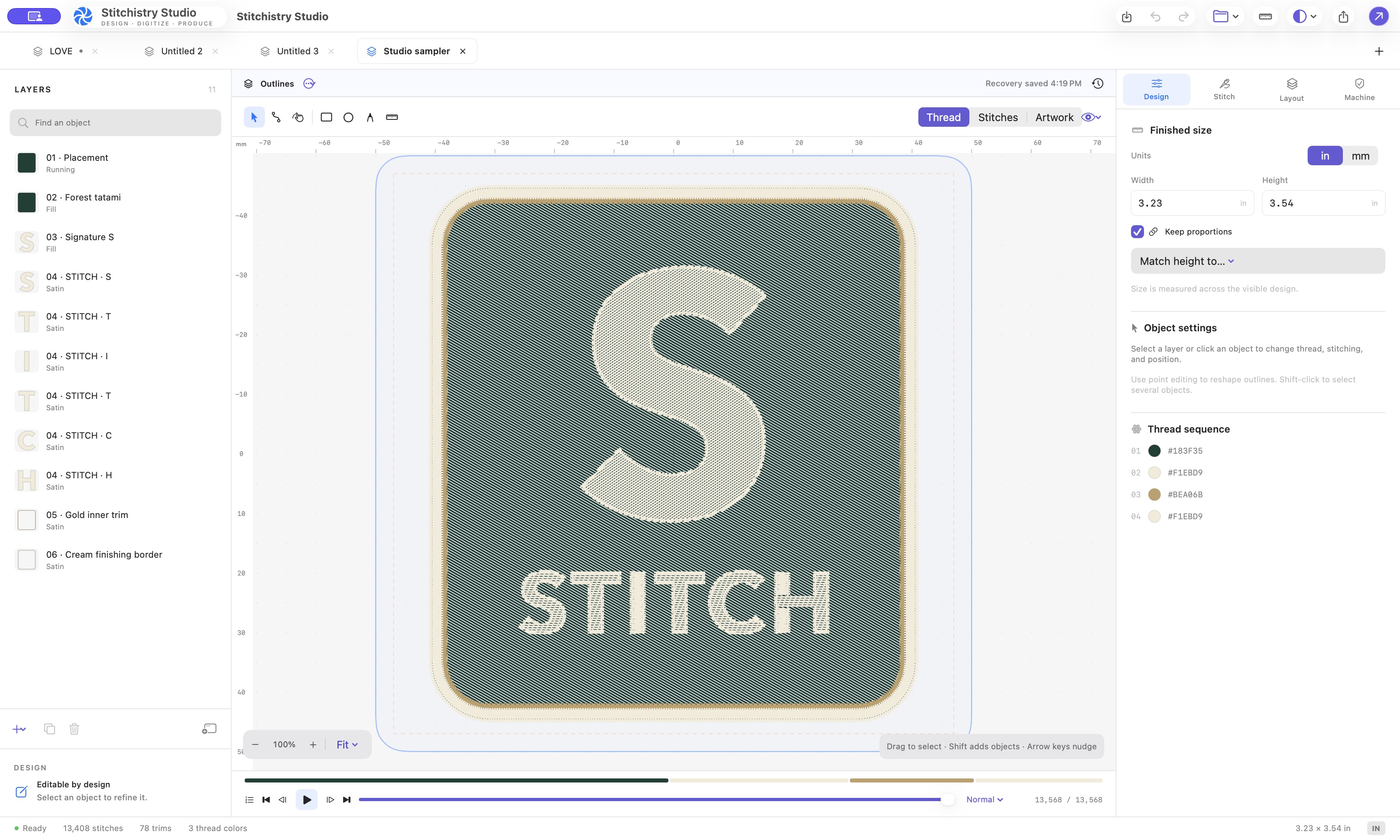
Watch a complete Mac digitizing workflow
- 0:00 — Import and size. Trace PNG artwork and set a 2-inch outline width.
- 0:10 — Refine. Change fill direction, apply a cotton hoodie preset, and edit Bézier handles.
- 0:36 — Simulate. Follow the needle sequence before exporting.
- 0:52 — Export and reopen. Review machine warnings, export the DST package, and inspect the exported commands.
Choose the right starting point
Have a PNG or JPG logo? Trace it into editable regions, set the finished size, then refine outlines and stitch types. Follow the image-to-DST guide.
Have an existing DST? Inspect and edit its needle commands. A machine file does not restore the original font, Bézier outlines, or digitizer’s object settings. Keep the native project for those edits.
Want a design variation? Use Studio AI to describe changes, then compare the result and inspect the stitches before export.
Edit the shape and the sewing plan
Tabbed projects let you compare designs in one workspace. Bézier anchors and handles refine curves, while fill, satin, and running stitches give different regions their sewing structure. Stitch editing lets you inspect individual commands when a needle path needs attention.
Fabric presets provide a starting point for settings, and density diagnostics help locate areas worth reviewing. Work at the intended physical size: scaling a design changes what can be sewn clearly, especially around small lettering and narrow openings.
Mac and machine requirements
- Apple Silicon Mac running macOS 14 or later.
- An active monthly subscription or an eligible perpetual license.
- Email access for passwordless sign-in; internet access for AI requests and account services.
- An embroidery machine or downstream workflow that accepts Tajima DST.
This release is a Mac desktop app. It is not a Windows app or a browser-based editor. DST export does not include thread-color information in the same way as the editable project, so keep the accompanying thread guide.
Plan your first project
Start with a clean logo and a known finished size. Choose the fabric, inspect the outline, preview sewing order, and export a test file. A small sample makes it easier to spot tension, stabilizer, or density problems before stitching a finished garment.
The app supports autosave and recovery, but retaining the editable source and production package also makes later revisions easier. For lettering-heavy projects, read the lettering guide.
Monthly or perpetual
Start with the $10 USD monthly subscription, or compare the perpetual license and its update terms. There is no free trial, and downloading the installer does not purchase a plan. Create your account, choose a plan, and sign in directly in Studio.
MAKE YOUR NEXT DESIGN
Bring the details into Studio.
Explore the actual Mac workspace, see the workflow, and choose the plan that fits your work.
Compare plans ↗